# flutter_in_app_update
**Repository Path**: AB_Coder/flutter_in_app_update
## Basic Information
- **Project Name**: flutter_in_app_update
- **Description**: No description available
- **Primary Language**: Unknown
- **License**: MIT
- **Default Branch**: master
- **Homepage**: None
- **GVP Project**: No
## Statistics
- **Stars**: 0
- **Forks**: 0
- **Created**: 2024-07-02
- **Last Updated**: 2024-07-02
## Categories & Tags
**Categories**: Uncategorized
**Tags**: None
## README
[](https://pub.dev/packages/in_app_update)
Maintained by [Jonas Bark](https://twitter.com/boni2k)
# in_app_update
Enables In App Updates on Android using the official Android APIs.
https://developer.android.com/guide/app-bundle/in-app-updates
 ## Documentation
The following methods are exposed:
- `Future checkForUpdate()`: Checks if there's an update available
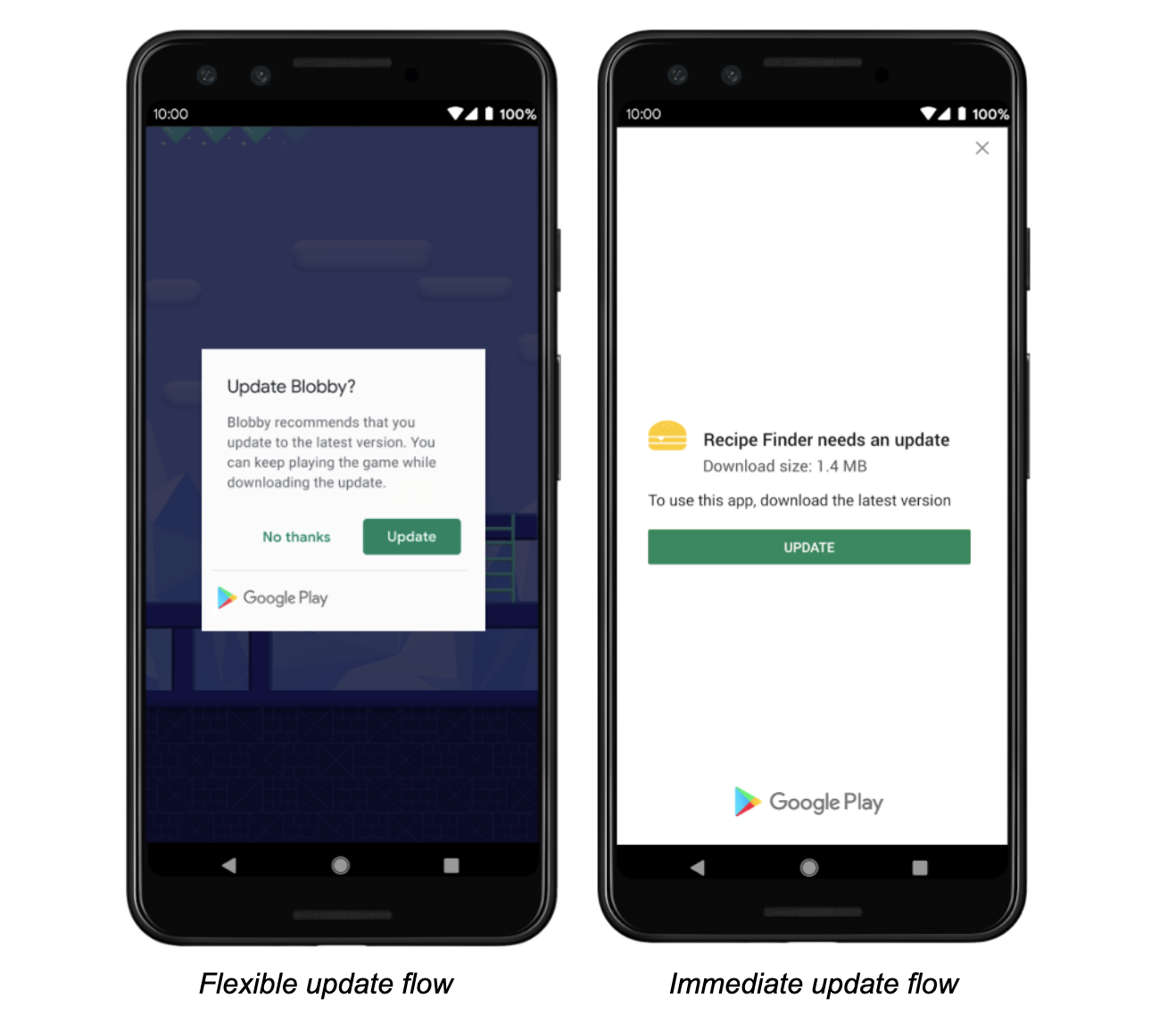
- `Future performImmediateUpdate()`: Performs an immediate update (full-screen)
- `Future startFlexibleUpdate()`: Starts a flexible update (background download)
- `Future completeFlexibleUpdate()`: Actually installs an available flexible update
Please have a look in the example app on how to use it!
### Android
This plugin integrates the official Android APIs to perform in app updated that were released in 2019:
https://developer.android.com/guide/app-bundle/in-app-updates
### iOS
iOS does not offer such a functionality. You might want to look into e.g. https://pub.dev/packages/upgrader.
If you call the methods above on a iOS device you'll run into a not-implemented exception.
# Troubleshooting
## Getting ERROR_API_NOT_AVAILABLE error
Be aware that this plugin cannot be tested locally. It must be installed via Google Play to work.
Please check the official documentation about In App Updates from Google:
https://developer.android.com/guide/playcore/in-app-updates/test
## Update does not work on old Android versions
In App Updates are only available from API Versions >= 21, as mentioned [here](https://developer.android.com/guide/playcore/in-app-updates).
## Documentation
The following methods are exposed:
- `Future checkForUpdate()`: Checks if there's an update available
- `Future performImmediateUpdate()`: Performs an immediate update (full-screen)
- `Future startFlexibleUpdate()`: Starts a flexible update (background download)
- `Future completeFlexibleUpdate()`: Actually installs an available flexible update
Please have a look in the example app on how to use it!
### Android
This plugin integrates the official Android APIs to perform in app updated that were released in 2019:
https://developer.android.com/guide/app-bundle/in-app-updates
### iOS
iOS does not offer such a functionality. You might want to look into e.g. https://pub.dev/packages/upgrader.
If you call the methods above on a iOS device you'll run into a not-implemented exception.
# Troubleshooting
## Getting ERROR_API_NOT_AVAILABLE error
Be aware that this plugin cannot be tested locally. It must be installed via Google Play to work.
Please check the official documentation about In App Updates from Google:
https://developer.android.com/guide/playcore/in-app-updates/test
## Update does not work on old Android versions
In App Updates are only available from API Versions >= 21, as mentioned [here](https://developer.android.com/guide/playcore/in-app-updates).