
Just make a few small changes to your Bilibili homepage.
## 👋 Introduction > [!IMPORTANT] > BewlyBewly mainly focuses on page adjustments and optimization rather than improving functionally and efficiency. > > The dark mode will only be adapted to commonly used pages due to its efficiency and maintenance difficulty, while less > frequently used pages will not to be adapted. > [!CAUTION] > [BLBewly](https://apps.apple.com/us/app/blbewly/id6742200021) is a free BewlyBewly extension on Safari. We thank [𝗦𝘁𝗲𝘃𝗲 𝕏](https://x.com/st7evechou) for their help with the free publication of the app to Safari. > However, issues encountered with the Safari version are outside of our maintenance scope, > and we are not considering Safari maintenance. > [!CAUTION] > If you are installing this extension, your browser will probably say that it can read your browser history. > > This is because BewlyBewly uses the ["tabs" permission](https://developer.chrome.com/docs/extensions/reference/api/tabs), which can also be used to read each tab, allowing it to know the browsing history, but it is not utilized here. > > **Some browsers will mention the worst-case scenario and the highest risks, ensuring your safety after installation.** > Additionally, this project is open source, so you can see what exactly what it does. BewlyBewly is a browser extension for BiliBili that aims to enhance the user experience by redesigning the BiliBili UI. The design is inspired by YouTube, Vision OS, and iOS, resulting in a more visually appealing and user-friendly interface. This project uses the [vitesse-webext](https://github.com/antfu/vitesse-webext) template for development. Without this template, it may not be possible to develop this project. ## ⬇️ Installation ### Online Installation > [!TIP] > Even in the Edge browser, we strongly recommend you install it in the Chrome web store. > In terms of review speed, the Chrome web store is faster than Edge Add-ons. > > Additionally, the Chrome Web Store version of BewlyBewly will address and fix critical bugs more quickly. - Chrome: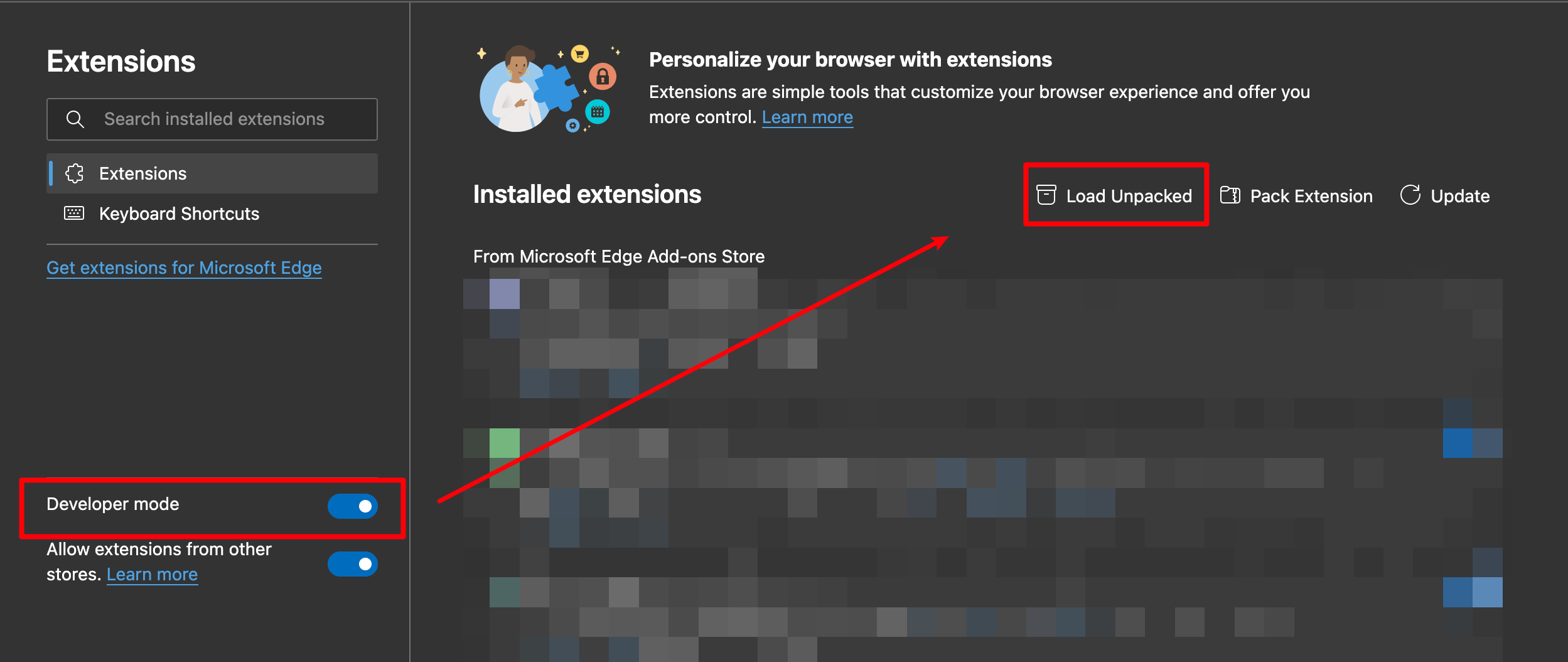 3. Load the decompressed extension folder in your browser
#### Chrome
>
> Ensure you installed [extension.zip](https://github.com/hakadao/BewlyBewly/releases) and decompress this file.
1. Type in `chrome://extensions/` in the address bar and press Enter
2. Turn on `Developer mode` then press `Load Unpacked`
3. Load the decompressed extension folder in your browser
#### Chrome
>
> Ensure you installed [extension.zip](https://github.com/hakadao/BewlyBewly/releases) and decompress this file.
1. Type in `chrome://extensions/` in the address bar and press Enter
2. Turn on `Developer mode` then press `Load Unpacked` 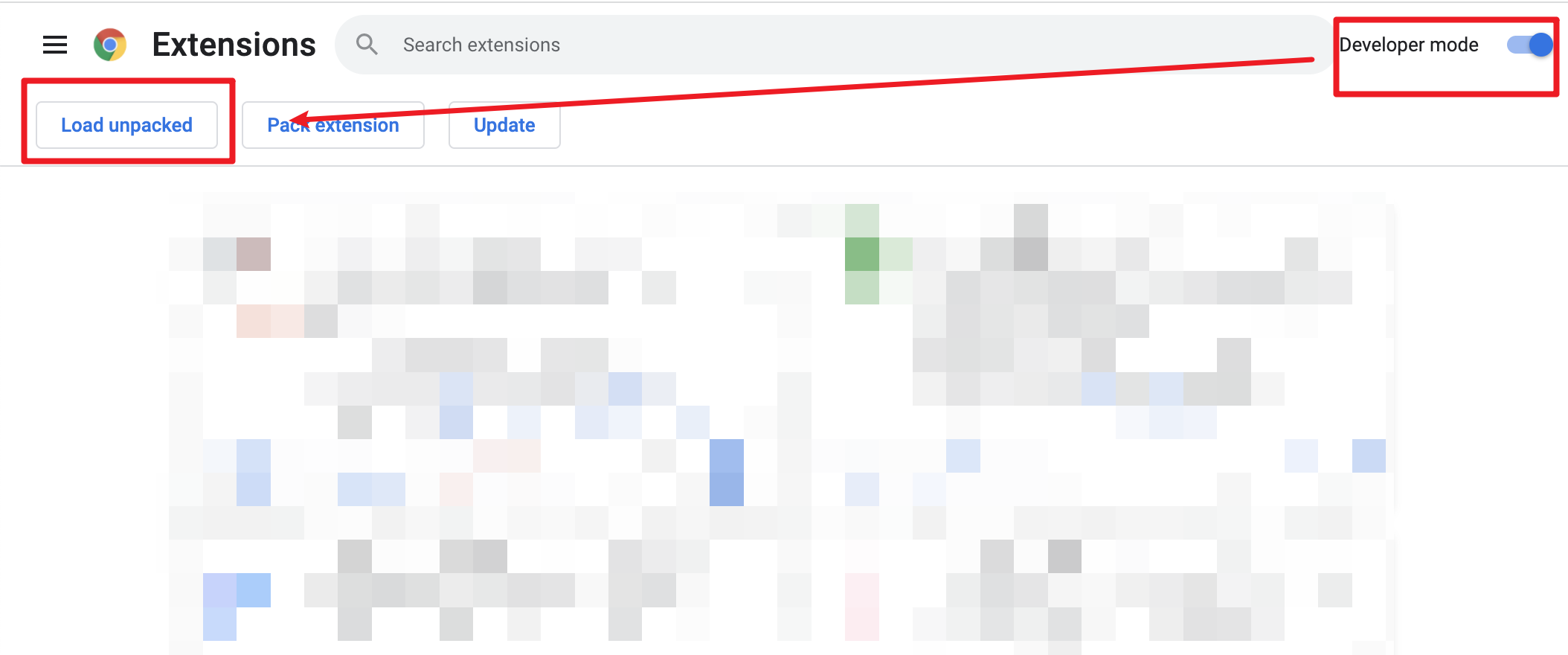 3. Load the decompressed extension folder in your browser