# FastBee-App
**Repository Path**: beecue/fastbee-app
## Basic Information
- **Project Name**: FastBee-App
- **Description**: FastBee App 是一个基于 UniApp 开发的多平台物联网设备管理应用程序,核心功能是实现对智能设备的便捷配网、实时监控与集中管理。
- **Primary Language**: JavaScript
- **License**: AGPL-3.0
- **Default Branch**: master
- **Homepage**: https://fastbee.cn/doc/
- **GVP Project**: No
## Statistics
- **Stars**: 106
- **Forks**: 148
- **Created**: 2024-08-07
- **Last Updated**: 2026-08-15
## Categories & Tags
**Categories**: iot
**Tags**: None
## README
### Language
[中文](./README.md) | [English](./README.en.md)
|微信小程序|安卓|IOS|H5|Vue2|
|:---:|:---:|:---:|:---:|:---:|
|√|√|√|√|√|
---
### 一、项目介绍
FastBee App 是一个基于 UniApp 开发的多平台物联网设备管理应用程序,核心功能是实现对智能设备的便捷配网、实时监控与集中管理。
**项目核心特点:**
- **跨平台兼容**:一套代码同时支持微信小程序、Android、iOS 及 H5 端。
- **实时数据监控**:集成 MQTT 协议,支持通过 WebSocket 实现设备数据的实时推送与状态更新。
- **一体化设备管理**:支持扫码添加、Wi-Fi 配网等多种方式,将设备便捷地关联至用户账户。
- **现代化的开发体验**:采用 uView UI 框架与 Easycom 组件规范,组件自动引入,提升了开发效率与项目可维护性。
**主要技术栈与架构:**
- **开发框架**: UniApp
- **UI 框架**: uView 2.0
- **状态管理**: Vuex
- **图表组件**: uChart (针对各平台优化)
- **网络请求**: 封装了拦截器的 HTTP 模块
- **实时通信**: MQTT over WebSocket / WXS
- **项目结构**:清晰的模块化目录,包含统一的接口管理、公共工具、组件库和状态存储。
**关键功能说明:**
1. **设备配网**:支持单设备(全平台)与多设备(仅微信小程序)配网,将 Wi-Fi 信息配置至硬件。
2. **扫码添加**:通过扫描设备专属二维码(含设备编号、产品ID等信息),快速将设备绑定至用户账号。
3. **环境配置**:通过 `env.config.js` 文件灵活配置开发与生产环境的 API 及 MQTT 服务器地址。
4. **多端适配**:针对 H5、小程序、App 等不同平台,自动适配相应的网络协议(如 WS, WSS, WXS)。
**注意事项:**
1. 开发工具为Hbuilder3.3以上版本。
2. **项目运行**:运行前先跑 npm install 下载所需要的依赖包!
---
### 二、项目结构
```
├─apis // 接口管理
│ ├─modules // api模块化目录
│ │ └─device.js // 设备接口地址
│ ├─http.api.js // 接口定义文件
│ └─http.interceptor // 拦截器
├─common // 公共文件
│ ├─mqttTool // mqtt工具
│ ├─extend // 扩展原型方法
│ ├─filters // 全局过滤器
│ └─tools // 全局公共方法
├─components // 项目组件库,组件放置这里,其他页面可直接使用
│ ├─cl-test // easycom测试组件
│ ├─cl-icon // iconfont图标组件
│ ├─deviceMonitor // 设备实时监测组件
│ └─other... // 使用的其他组件等等
├─pages // 页面目录
│ ├─public // 公共页面
│ └─tarbar // 底部导航栏页面
│ ├─home // 首页的所有页面
│ ├─trend // 新闻动态页面
│ └─user // 个人中心页面
├─static // 图片目录
├─store // vuex
│ ├─$u.mixin // store全局混入方法
│ └─index // vuex 组件全局状态管理
├─uni_modules // 插件市场插件目录
│ └─uview-ui // uview-ui
├─env.config.js // 接口地址和mqtt地址配置文件
├─mainfest.json // 各个平台的配置信息
```
---
### 三、基本配置
1. 打开根目录的mainfest.json文件, 基础配置中 AppId改为自己的 [uni-app应用标识](https://ask.dcloud.net.cn/article/35907),微信小程序配置中,AppId改为自己的 [微信小程序AppId](https://mp.weixin.qq.com/) 。
2. 打开根目录的 `env.config.js` 文件,修改服务端接口地址和emqx消息服务器地址
```
// H5端开发和生产环境协议
let protocalDev = "ws://";
let protocalProd = "wss://";
// 条件编译,微信端和App端使用wxs协议
// #ifdef MP-WEIXIN || APP-PLUS
protocalDev = 'wxs://';
protocalProd = 'wxs://';
// #endif
const CONFIG = {
// 开发环境配置
development: {
baseUrl: 'http://localhost:8080',
mqttServer: protocalDev + 'localhost:8083/mqtt',
},
// 生产环境配置
production: {
baseUrl: 'https://domain.com/prod-api/',
mqttServer: protocalProd + 'domain.com/mqtt',
}
}
```
* 小程序调用接口必须使用https协议,可以去阿里、腾讯、百度等平台申请免费证书,Nginx配置https和wss参考 [官网文档](https://fastbee.cn/doc/pages/applet/)
* H5端使用ws(未加密)或者wss(加密)协议
* 微信小程序和App端使用wxs协议,同时需要配置域名,App端使用wss连接失败,可能跟mqtt.js版本有关系。
---
### 四、Mqtt协议
|协议 |一般使用端口 |说明 |
|:-----|:----------|:------------------|
| mqtt | 1883端口 | 未加密 TCP 连接,硬件端和服务端使用|
| mqtts| 8883端口 | 加密 TCP 连接,硬件端和服务端使用|
| ws | 8083端口 | 未加密 WebSocket 连接,前端和移动端使用|
| wss | 8084端口 | 加密 WebSocket 连接,前端和移动端使用,通过代理访问8083端口|
| wxs | 8084端口 | 微信小程序连接,微信小程序端使用,通过代理访问8083端口|
| alis | 8084端口 | 支付宝小程序连接,支付宝小程序端使用,通过代理访问8083端口|
---
### 五、使用说明
1. 项目使用uChart图表,部分图标启用canvas2d模式,解决小程序层级过高及拖拽卡顿问题。微信开发工具中图表显示会有问题,发布后正常显示。
2. 微信小程序支持多设备配网,mainfest.json微信小程序配置中要启用位置接口才能使用。微信小程序端配网需要使用真机调试。
3. 微信小程序视频需要向微信官方申请权限,Android 和 IOS 需要用Wap2App 方式打包,播放器暂时不支持原生App。
4. 项目天气预报使用的是心知天气API需要自行前往官网申请(小程序配置心知天气域名),也可以使用其他天气API,但需要调整一下weather的数据(已自定义组件),由于某些浏览器原因,为保证H5正常运行,可以申请腾讯地图key来定位。
---
### 六、设备配网 / 扫码添加设备
1. 有两种情况:第一种是系统不存在该设备,配网或扫码后会新建设备到用户账号下;第二种是系统已存在该设备,配网或扫码后是关联设备到用户账号下。
2. 设备配网:通过配网可以把wifi信息配置到设备,以及新建设备到用户账号下。目前H5、微信小程序、安卓和IOS都支持单设备配网,多设备配网只有微信小程序支持。单设备配网时用户手动切换手机wifi为设备热点,然后进行配网。
3. 扫码添加设备:用户通过扫码新建设备到自己账号下。系统中的每个设备都有二维码,在设备详情摘要中查看。二维码固定为下面JSON格式:
```
# type固定值为1,代表扫码添加设备
# type、deviceNumber、productId 为必填项,productName为可选项
# 如果系统中还不存在该设备,设备编号使用一个唯一性编码即可,不能包含特殊字符
{
"type": 1,
"deviceNumber": "D888666",
"productId": 5,
"productName": "智能插座"
}
```
---
### 七、相关文档
[uView2.0文档 >>](https://www.uviewui.com/components/intro.html)
[uniapp文档 >>](https://uniapp.dcloud.io/tutorial/)
[easycom说明 >>](https://uniapp.dcloud.io/component/#easycom%E7%BB%84%E4%BB%B6%E8%A7%84%E8%8C%83)
[uChart2.0文档 >>](https://www.ucharts.cn/v2/#/guide/index)
[Wap2App打包](https://code.wumei.live/ultimate/wumei-smart/-/wikis/Wap2App打包)
---
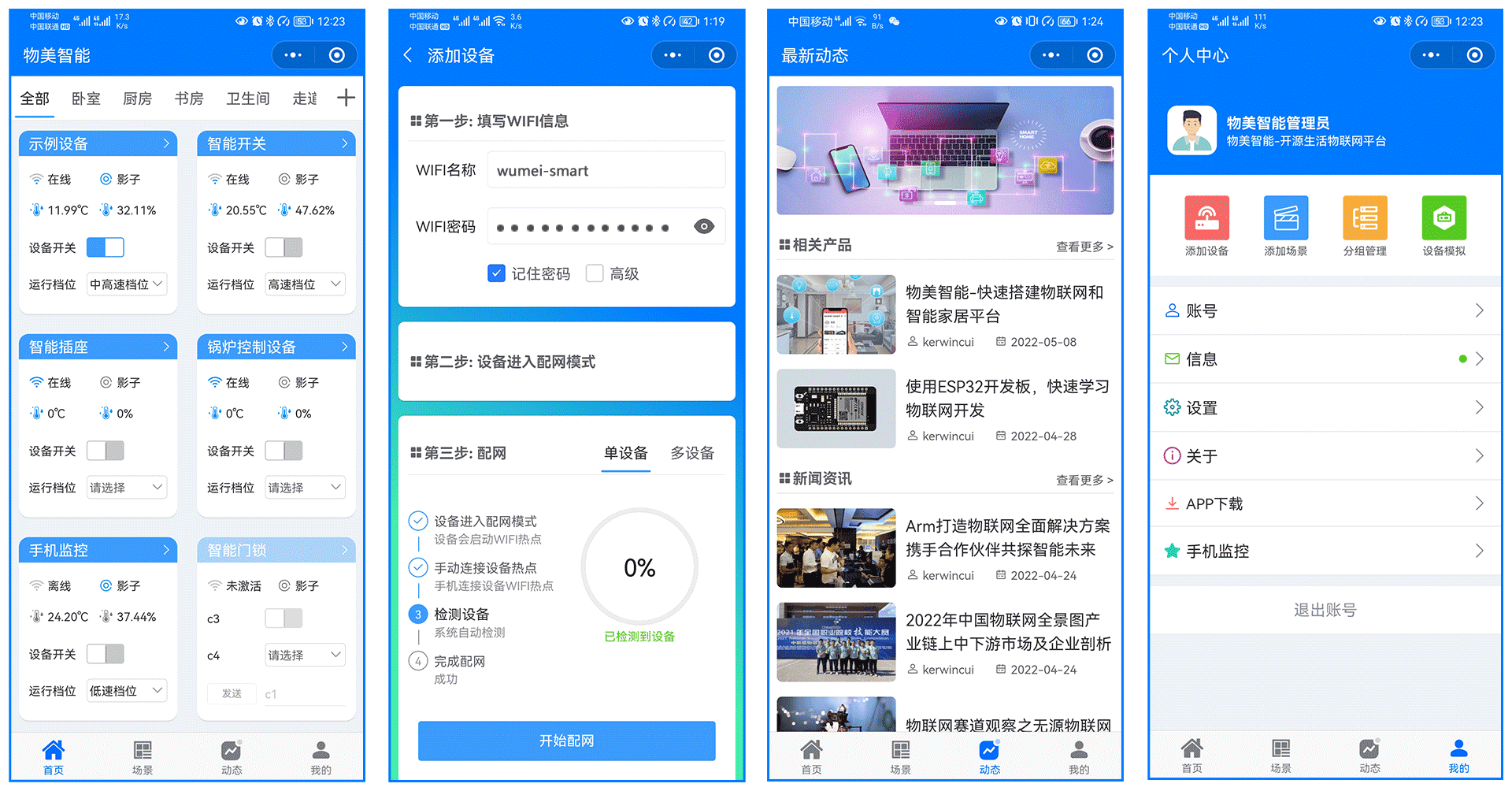
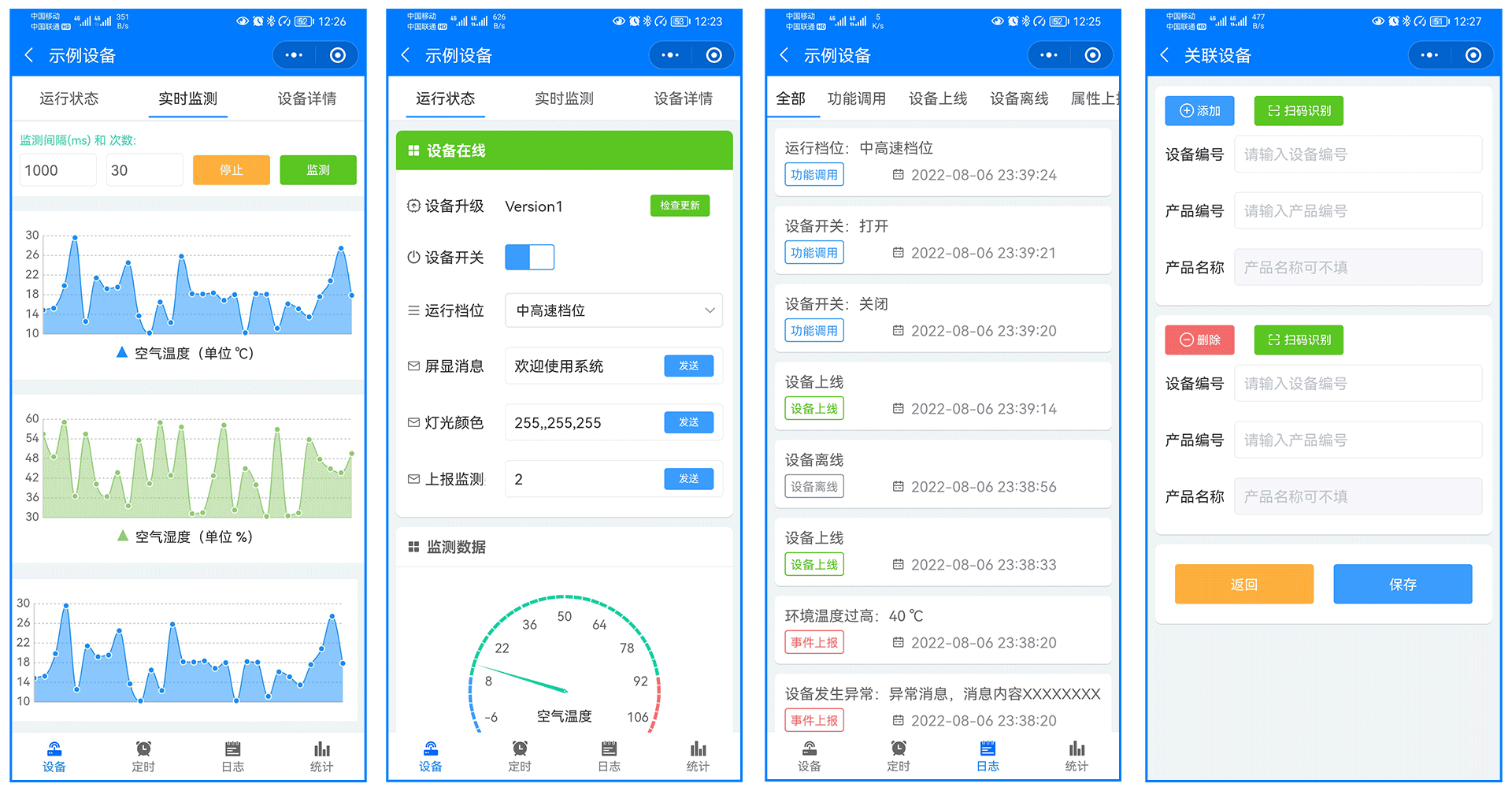
### 八、部分图片