# SpringBoot-Split-Api
**Repository Path**: enzoism/springboot-split-api
## Basic Information
- **Project Name**: SpringBoot-Split-Api
- **Description**: springboot-split-api前后端分离项目-后端
- **Primary Language**: Unknown
- **License**: Not specified
- **Default Branch**: master
- **Homepage**: None
- **GVP Project**: No
## Statistics
- **Stars**: 0
- **Forks**: 1
- **Created**: 2019-12-11
- **Last Updated**: 2020-12-18
## Categories & Tags
**Categories**: Uncategorized
**Tags**: None
## README
# springBoot-example
* 概述:
* 后端服务器侧(前后端分离,利用ajax交互)
* 前台为**springBoot-example-ui**,参见 https://github.com/jiangcaijun/springBoot-example-ui
#### 1、技术架构
后端以springboot(版本2.1.4)、maven多模块为基础框架,数据库为 mysql + redis ,实现简单的 CRUD 功能。前后端以RESTFUL风格的ajax请求来进行交互。
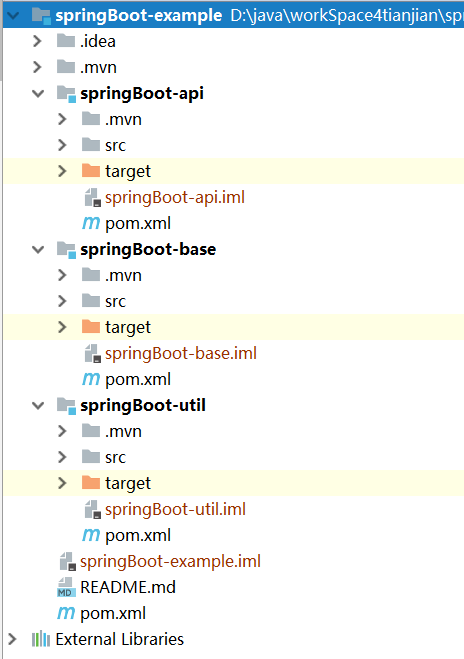
#### 2、项目分层
* springBoot-api 控制层,主要是各类controller
* 实现对mysql常见的CRUD请求(PUT、DELETE、PATCH、POST、GET等),以自定义的Response来返回至客户端(主要体现在 RedisExampleController.java类中)
* 实现SpringBoot下redis的set与get(主要体现在 RedisExampleController.java类中)
* springBoot-base 接口层,包含service接口和entiy实体类
* springBoot-util 工具类层
* 项目代码总体结构如下:
#### 3、项目启动
编辑 springBoot-example/springBoot-api/src/main/resources/application-dev.properties 文件,修改其中的jdbc链接信息,例如:
```
spring.datasource.username=root
spring.datasource.password=admin
```
再修改其redis链接信息:
```
# Redis服务器地址
spring.redis.host=127.0.0.1
# Redis服务器连接端口
spring.redis.port=6379
```
注意:该redis 也可以不配置,不影响项目正常启动,但与redis相关功能无法使用
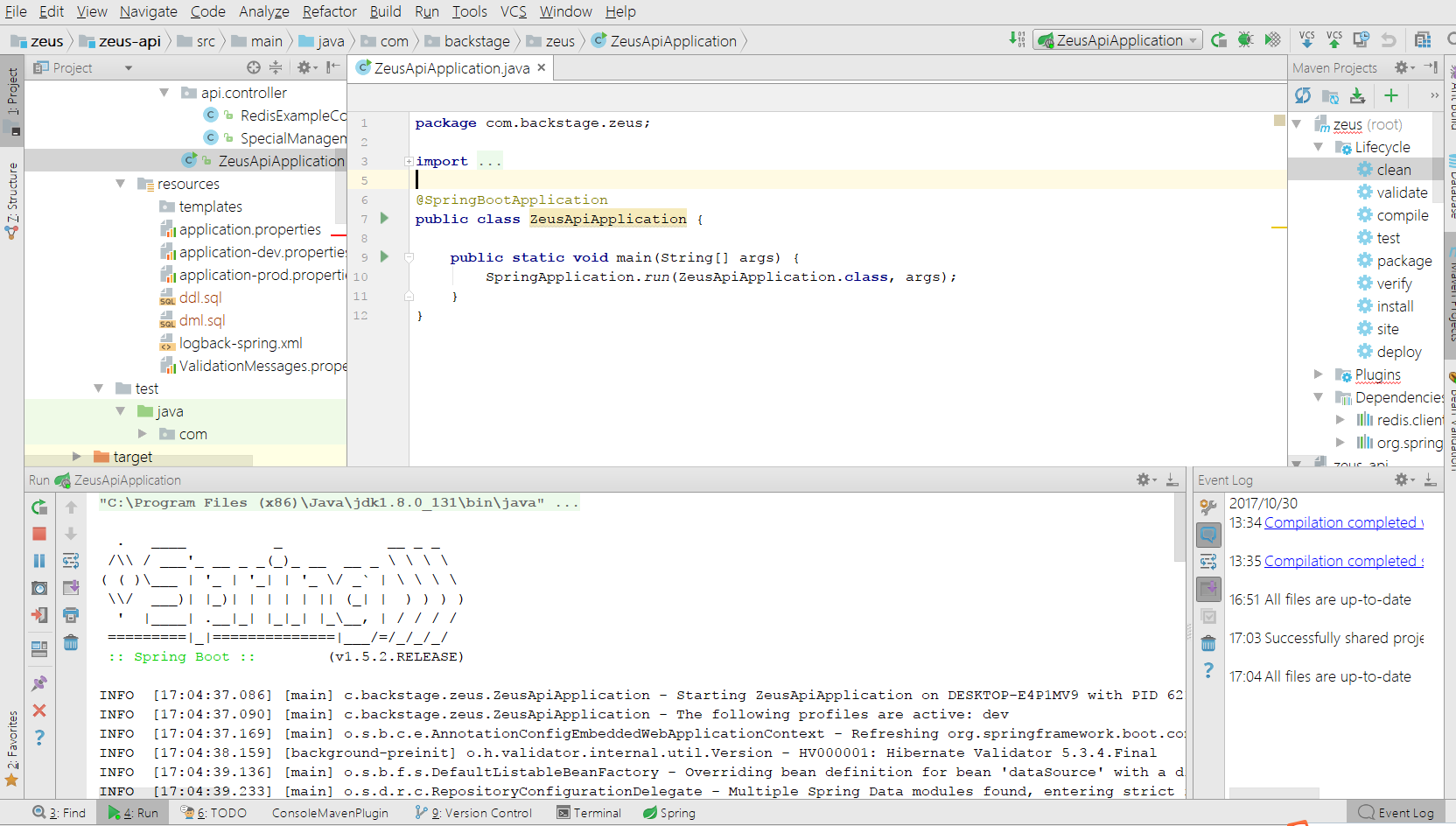
项目成功启动时,控制台:
#### 4、springboot + redis 相关
* 代码如下:
```
@RestController
public class RedisExampleController {
@Autowired
private IRedisService redisService;
@RequestMapping("/redis/set")
public Object redisSet(@RequestParam("value")String value){
boolean isOk = redisService.setString("name", value);
if(isOk){
return new XPFSingleResponse("redis新增成功");
}else{
return new XPFBadRequestException("redis新增失败");
}
}
@RequestMapping("/redis/get")
public Object redisGet(){
String name = redisService.getString("name");
return new XPFSingleResponse("redis获取:" + name);
}
}
```
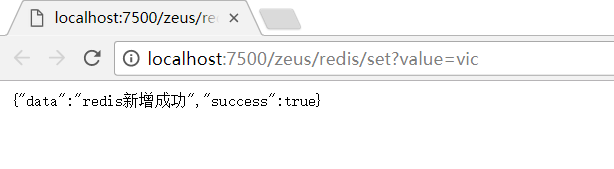
* redis赋值测试(项目名这里定义成 zeus ,下同):
http://localhost:7500/zeus/redis/set?value=vic
> 说明:若不需要项目路径,可将:`server.servlet.context-path`属性删除
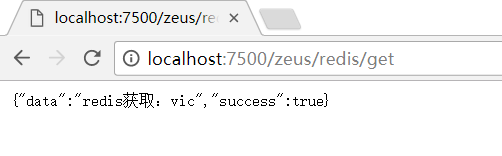
* redis取值测试:
http://localhost:7500/zeus/redis/get
#### 5、springboot + swagger2 相关
1、添加依赖信息
```
io.springfox
springfox-swagger2
2.7.0
io.springfox
springfox-swagger-ui
2.7.0
```
2、添加swagger配置
* SwaggerConfig.java
```
@Configuration
@EnableSwagger2
public class SwaggerConfig {
@Bean
public Docket createRestApi() {
return new Docket(DocumentationType.SWAGGER_2)
.apiInfo(apiInfo())
.select()
.apis(RequestHandlerSelectors.basePackage("com.backstage.api.controller"))
.paths(PathSelectors.any())
.build();
}
private ApiInfo apiInfo() {
return new ApiInfoBuilder()
.title("springBoot-example RESTful APIs")
.description("关注我 https://github.com/jiangcaijun/")
.termsOfServiceUrl("https://github.com/jiangcaijun/")
.contact("jiangcaijun")
.version("1.0.0")
.build();
}
}
```
* ServletContextConfig.java如下:
```
/**
* 拦截器配置
* @author jiangcaijun
*
*/
@Configuration
public class ServletContextConfig extends WebMvcConfigurationSupport {
/**
* 发现如果继承了WebMvcConfigurationSupport,则在yml中配置的相关内容会失效。
* 需要重新指定静态资源
* @param registry
*/
@Override
public void addResourceHandlers(ResourceHandlerRegistry registry) {
registry.addResourceHandler("/**").addResourceLocations("classpath:/static/");
registry.addResourceHandler("swagger-ui.html")
.addResourceLocations("classpath:/META-INF/resources/");
registry.addResourceHandler("/webjars/**")
.addResourceLocations("classpath:/META-INF/resources/webjars/");
super.addResourceHandlers(registry);
}
/**
* 配置servlet处理
*/
@Override
public void configureDefaultServletHandling(DefaultServletHandlerConfigurer configurer) {
configurer.enable();
}
}
```
3、在控制层的类或者方法上添加注解
```
@Api(description = "redis测试接口")
@RestController
public class RedisExampleController {
@Autowired
private IRedisService redisService;
@ApiOperation(value = "redis赋值")
@GetMapping("/redis/set")
public Object redisSet(@RequestParam("value")String value){
```
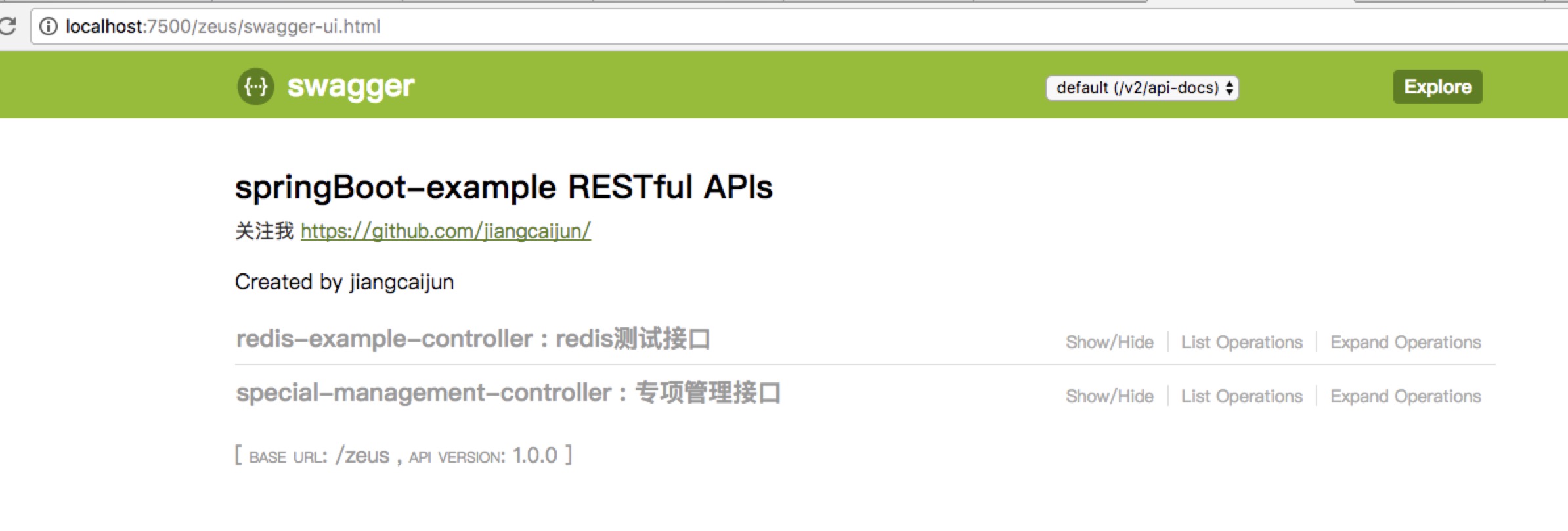
4、访问localhost:端口号/项目名/swagger-ui.html
例如,该项目可访问:http://localhost:7500/zeus/swagger-ui.html