# AMap3D
**Repository Path**: huowenmeng/amap3d
## Basic Information
- **Project Name**: AMap3D
- **Description**: No description available
- **Primary Language**: Unknown
- **License**: MIT
- **Default Branch**: master
- **Homepage**: None
- **GVP Project**: No
## Statistics
- **Stars**: 0
- **Forks**: 0
- **Created**: 2022-02-18
- **Last Updated**: 2022-02-28
## Categories & Tags
**Categories**: Uncategorized
**Tags**: None
## README
# react-native-amap3d [![][version-badge]][npm] [](https://github.com/qiuxiang/react-native-amap3d/actions/workflows/build.yml)
**注意:该项目现在正在进行新版(v3)重构,接口重新设计且部分重新实现。**
react-native 高德地图组件,使用最新 3D SDK,支持 Android + iOS,受 [react-native-maps](https://github.com/airbnb/react-native-maps) 启发,提供功能丰富且易用的接口。
相关项目推荐:
- [react-native-baidumap-sdk(百度地图 SDK)](https://github.com/qiuxiang/react-native-baidumap-sdk)
- [react-native-amap-geolocation(高德地图定位模块)](https://github.com/qiuxiang/react-native-amap-geolocation)
## 功能
- 地图模式切换(常规、卫星、导航、夜间)
- 3D 建筑、路况、室内地图
- 内置地图控件的显示隐藏(指南针、比例尺、定位按钮、缩放按钮)
- 手势交互控制(平移、缩放、旋转、倾斜)
- 中心坐标、缩放级别、倾斜度的设置,支持动画过渡
- 地图事件(onPress、onLongPress、onLocation、onCameraMove、onCameraIdle 等)
- 地图标记(Marker)
- 折线绘制(Polyline)
- 多边形绘制(Polygon)
- 圆形绘制(Circle)
- 热力图(HeatMap)
- 海量点(MultiPoint)
- 点聚合(Cluster)
## 安装
```bash
npm i react-native-amap3d
```
### 添加高德 API Key
首先你需要获取高德地图 API Key:
- [Aandroid](http://lbs.amap.com/api/android-sdk/guide/create-project/get-key)
- [iOS](https://lbs.amap.com/api/ios-sdk/guide/create-project/get-key)
然后你需要在显示地图前调用接口设置 API key:
```js
import { AMapSdk } from "react-native-amap3d";
AMapSdk.setApiKey(
Platform.select({
android: "c52c7169e6df23490e3114330098aaac",
ios: "186d3464209b74effa4d8391f441f14d",
})
);
```
## 用法
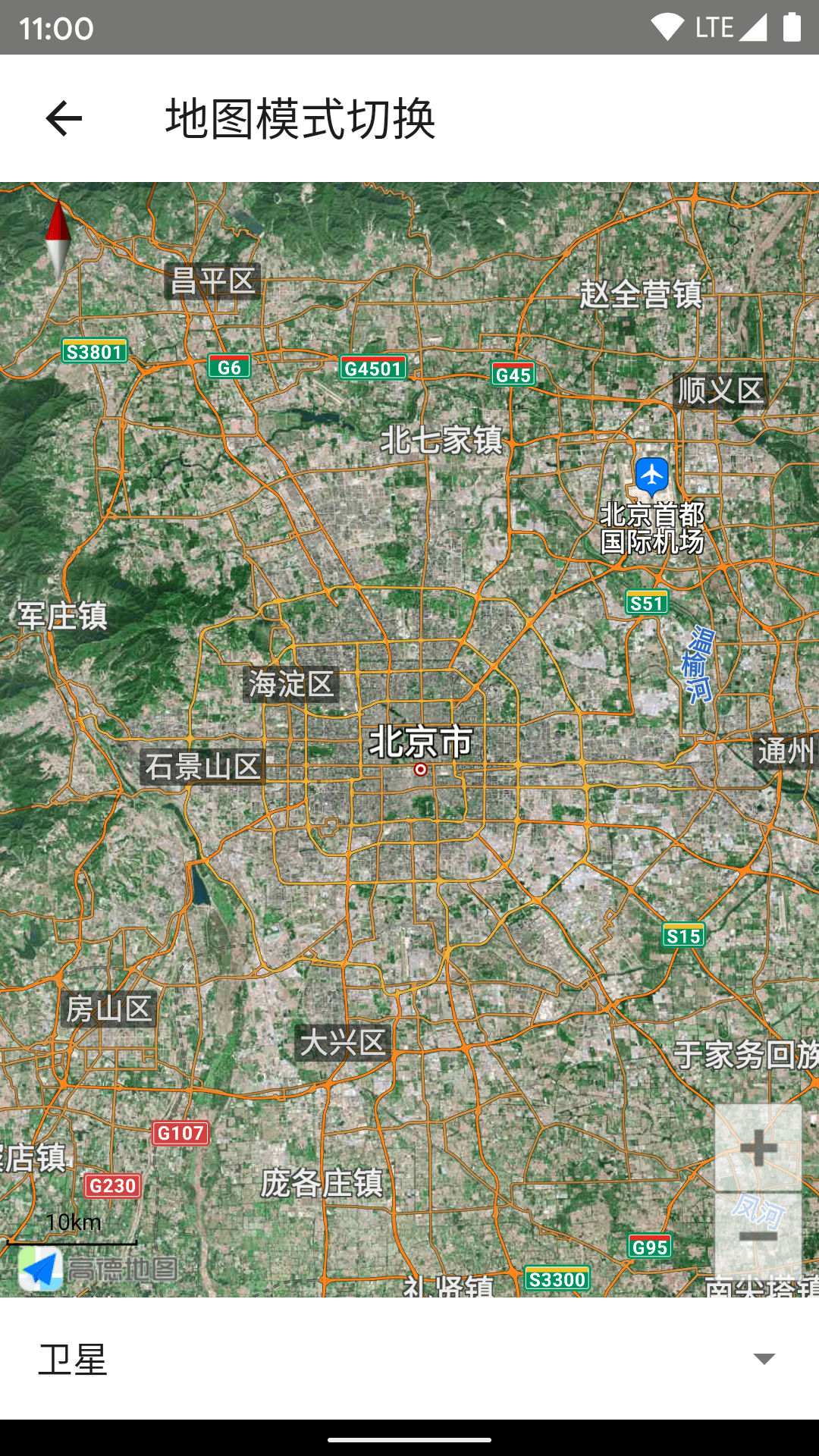
### 显示地图
```jsx
import { MapView, MapType } from "react-native-amap3d";
;
```
 ### 监听地图事件
```jsx
import { MapView } from "react-native-baidumap-sdk";
console.log("onLoad")}
onPress={({ nativeEvent }) => console.log(nativeEvent)}
onCameraIdle={({ nativeEvent }) => console.log(nativeEvent)}
/>;
```
### 监听地图事件
```jsx
import { MapView } from "react-native-baidumap-sdk";
console.log("onLoad")}
onPress={({ nativeEvent }) => console.log(nativeEvent)}
onCameraIdle={({ nativeEvent }) => console.log(nativeEvent)}
/>;
```

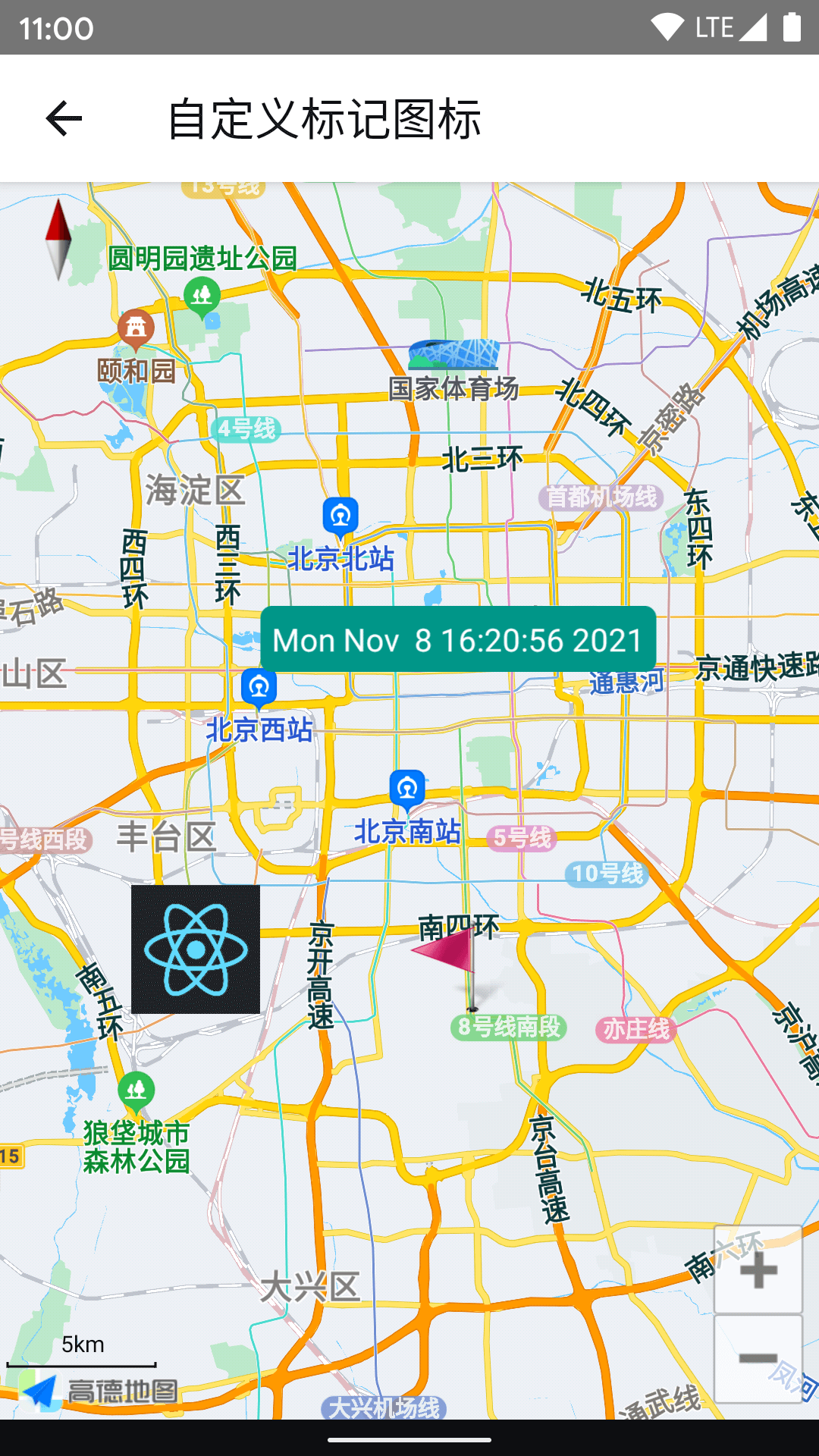
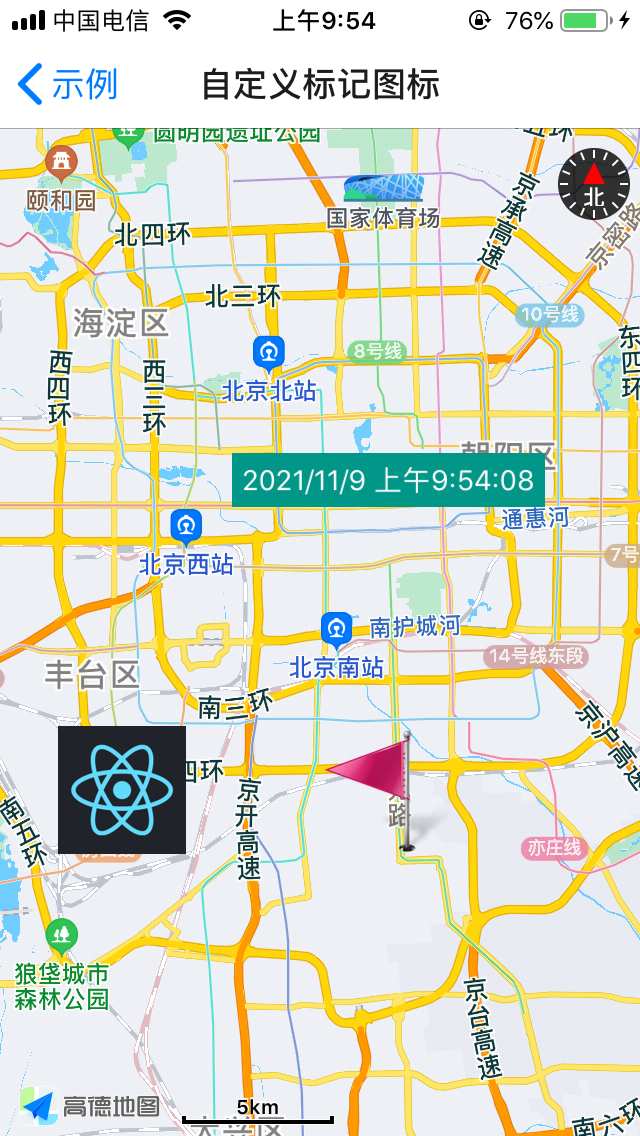
 ### 添加标记
其中 `icon` 支持 [ImageSource](https://reactnative.dev/docs/image#imagesource)。
同时支持 `children` 作为标记图标。
```jsx
import { MapView, Marker } from "react-native-baidumap-sdk";
alert("onPress")}
/>
{new Date().toLocaleString()}
;
```
### 添加标记
其中 `icon` 支持 [ImageSource](https://reactnative.dev/docs/image#imagesource)。
同时支持 `children` 作为标记图标。
```jsx
import { MapView, Marker } from "react-native-baidumap-sdk";
alert("onPress")}
/>
{new Date().toLocaleString()}
;
```
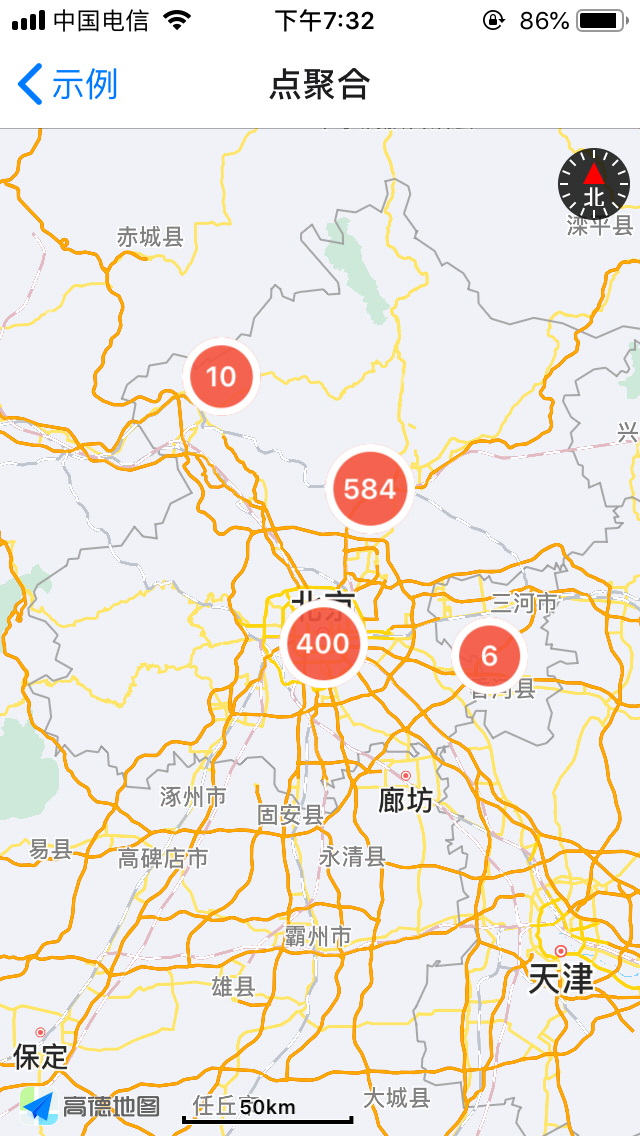
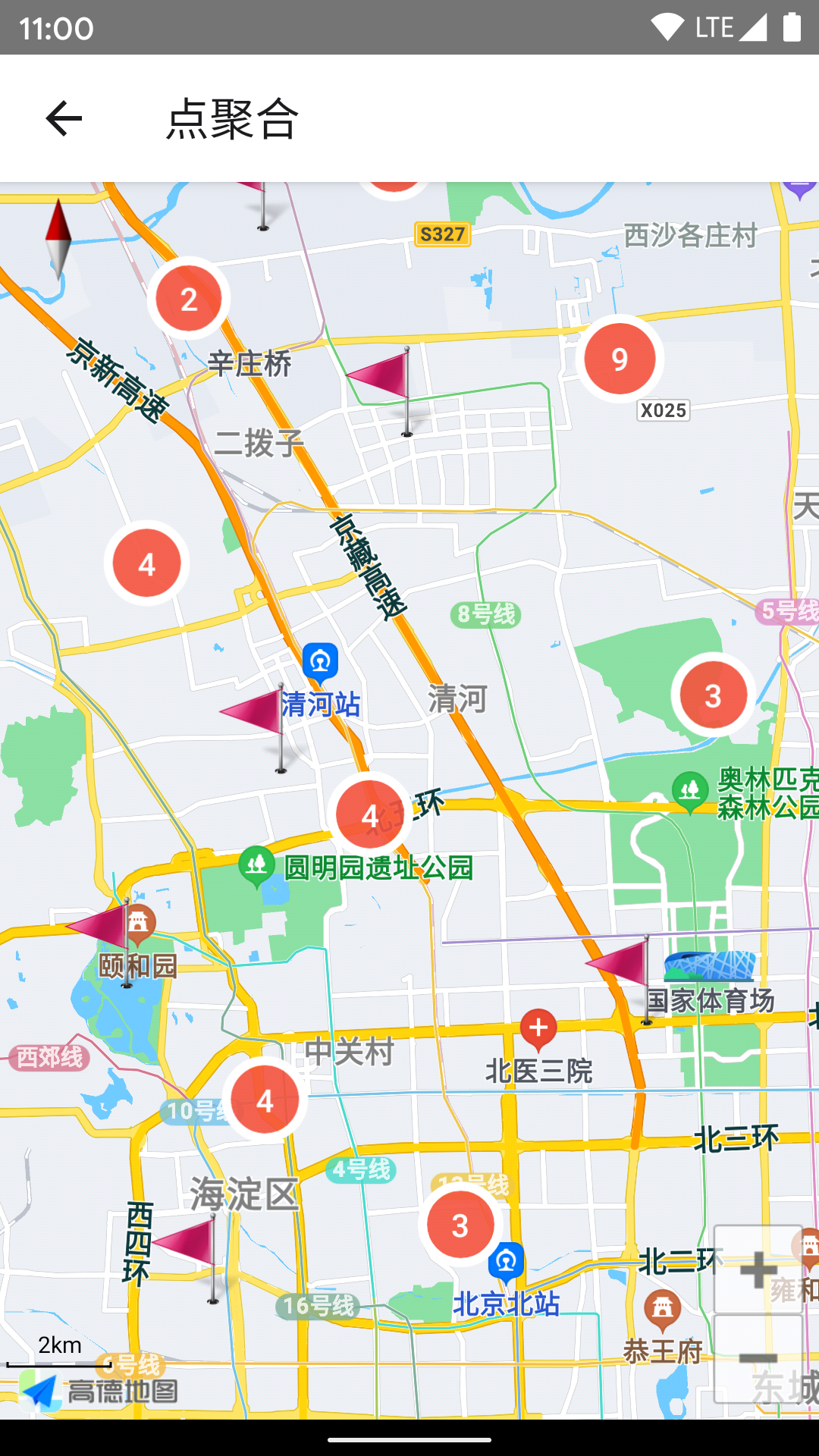
 ### 点聚合
Marker 数量过多(尤其是使用自定义 View 的情况下)会导致性能问题,而且显示过于密集,这时候可以用点聚合改善。
```jsx
import { Cluster, MapView, Marker } from "react-native-amap3d";
const markers = Array(1000)
.fill(0)
.map((_, i) => ({
position: { latitude: 39.5 + Math.random(), longitude: 116 + Math.random() },
properties: { key: `Marker${i}` },
}));
(this.mapView = ref)}
onLoad={() => this.mapView?.moveCamera({ zoom: 8 }, 100)}
onCameraIdle={({ nativeEvent }) => {
this.status = nativeEvent;
this.cluster?.update(nativeEvent);
}}
>
(this.cluster = ref)}
points={markers}
renderMarker={(item) => (
)}
/>
;
```
### 点聚合
Marker 数量过多(尤其是使用自定义 View 的情况下)会导致性能问题,而且显示过于密集,这时候可以用点聚合改善。
```jsx
import { Cluster, MapView, Marker } from "react-native-amap3d";
const markers = Array(1000)
.fill(0)
.map((_, i) => ({
position: { latitude: 39.5 + Math.random(), longitude: 116 + Math.random() },
properties: { key: `Marker${i}` },
}));
(this.mapView = ref)}
onLoad={() => this.mapView?.moveCamera({ zoom: 8 }, 100)}
onCameraIdle={({ nativeEvent }) => {
this.status = nativeEvent;
this.cluster?.update(nativeEvent);
}}
>
(this.cluster = ref)}
points={markers}
renderMarker={(item) => (
)}
/>
;
```

 ### 更多示例
参考 [example](https://github.com/qiuxiang/react-native-amap3d/tree/master/example)。
#### Android
```bash
npm run android
```
#### iOS
```bash
cd ios && pod install && cd ..
npm run ios
```
## 常见问题
- 尽量使用真实设备进行测试,在模拟器可能存在一些问题(常见的是 Android 模拟器因为缺少 GPU 加速而导致闪退)。
- onLocation 没有返回定位数据通常是因为 key 不正确,或没有申请 PermissionsAndroid.PERMISSIONS.ACCESS_FINE_LOCATION 权限
[npm]: https://www.npmjs.com/package/react-native-amap3d
[version-badge]: https://img.shields.io/npm/v/react-native-amap3d.svg
### 更多示例
参考 [example](https://github.com/qiuxiang/react-native-amap3d/tree/master/example)。
#### Android
```bash
npm run android
```
#### iOS
```bash
cd ios && pod install && cd ..
npm run ios
```
## 常见问题
- 尽量使用真实设备进行测试,在模拟器可能存在一些问题(常见的是 Android 模拟器因为缺少 GPU 加速而导致闪退)。
- onLocation 没有返回定位数据通常是因为 key 不正确,或没有申请 PermissionsAndroid.PERMISSIONS.ACCESS_FINE_LOCATION 权限
[npm]: https://www.npmjs.com/package/react-native-amap3d
[version-badge]: https://img.shields.io/npm/v/react-native-amap3d.svg