# flutter-vector-map-tiles
**Repository Path**: xmdcy2011/flutter-vector-map-tiles
## Basic Information
- **Project Name**: flutter-vector-map-tiles
- **Description**: No description available
- **Primary Language**: Unknown
- **License**: BSD-3-Clause
- **Default Branch**: main
- **Homepage**: None
- **GVP Project**: No
## Statistics
- **Stars**: 0
- **Forks**: 0
- **Created**: 2025-11-25
- **Last Updated**: 2025-11-25
## Categories & Tags
**Categories**: Uncategorized
**Tags**: None
## README
# [vector_map_tiles](https://pub.dev/packages/vector_map_tiles)
A plugin for [`flutter_map`](https://pub.dev/packages/flutter_map) that enables vector tiles with slippy maps and hardware-accelerated GPU rendering in Flutter.
Loads vector tiles from a source such as Mapbox or Stadia Maps, and renders them as a layer on a `flutter_map`.
See it in action on YouTube:
[](https://www.youtube.com/watch?v=ghPRZzPrrGQ)
## Flutter GPU Preview
This version of vector_map_tiles has a new rendering backend which makes use of ``flutter_gpu`` to achieve better performance.
Please note that this branch is in preview state — we encourage you to try it out and share your feedback. If you encounter
any bugs, performance issues, or have suggestions for improvements, please [open an issue with this template](https://github.com/greensopinion/flutter-vector-map-tiles/issues/new?template=10-0-0-gpu-issue.md) so we can continue refining
and stabilizing.
### Version 10.0.0-beta
Version 10.0.0 depends on `flutter_gpu` and the Flutter development channel, which are pre-release software and can change at any time. See details on the [official Flutter GPU page](https://github.com/flutter/engine/blob/main/docs/impeller/Flutter-GPU.md).
For production apps, use version 8.0.0 or version 9.0.0-beta.8 of this library.
### Known Issues
Issues for incomplete/unimplemented features, defects, questions and feedback: [issues label:10.0.0](https://github.com/greensopinion/flutter-vector-map-tiles/issues?q=state%3Aopen%20label%3A10.0.0)
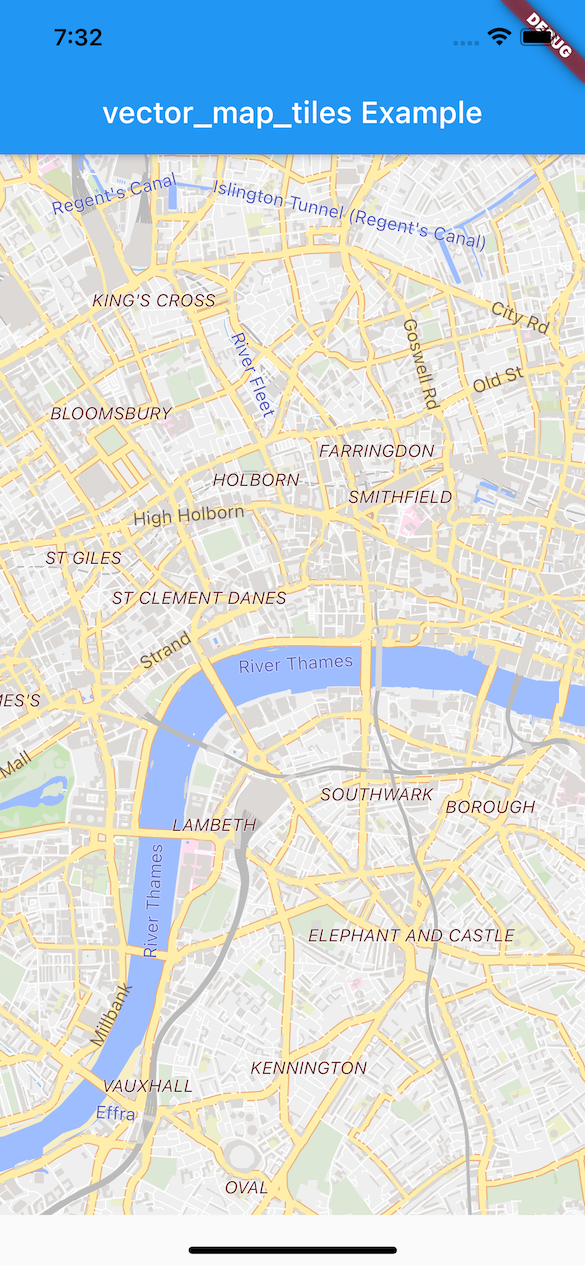
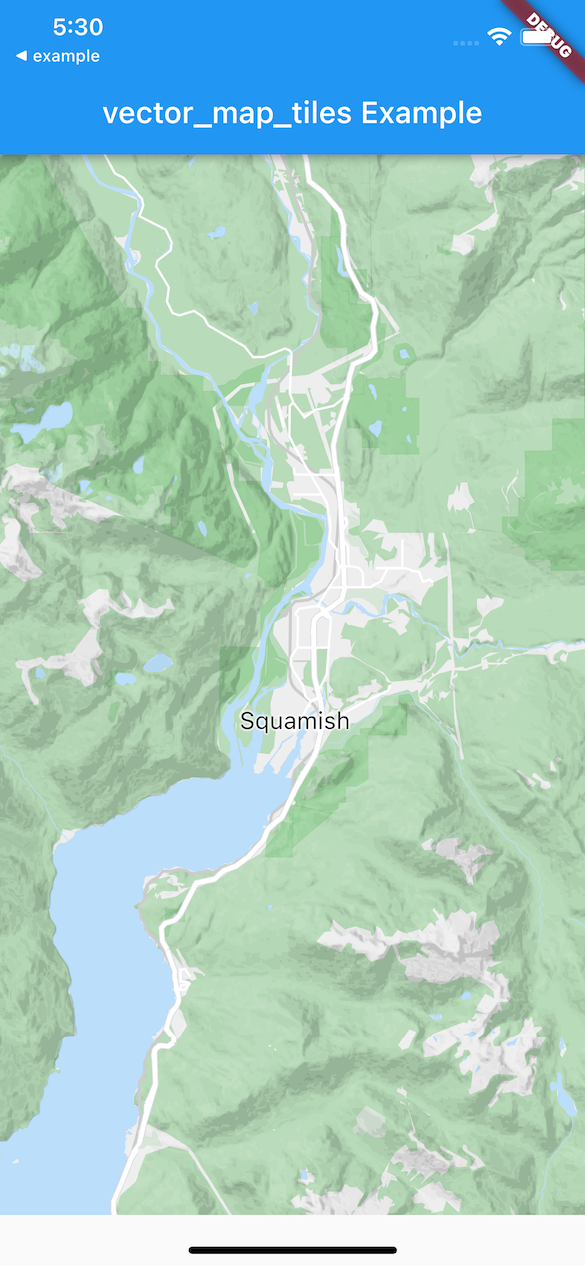 See the [gallery](gallery/gallery.md) for more examples.
## Installing
Install vector_map_tiles from [pub.dev](https://pub.dev/packages/vector_map_tiles). Then, **if using vector_map_tiles version 10 or higher** follow the steps below.
**Note**: After updating this dependency, run `flutter clean && flutter pub get` in the main folder of the Flutter app (e.g. `./example`) to ensure that shaders are recompiled with the latest changes.
### Steps
This version of vector_map_tiles depends on``flutter_gpu``, which is currently available on the main flutter channel. To setup, run:
```shell
flutter channel main && flutter upgrade
```
Enable Flutter GPU via the manifest setting. This can be done either via command line argument --enable-flutter-gpu or by adding the FLTEnableFlutterGPU key set to true on iOS / MacOS or io.flutter.embedding.android.EnableFlutterGPU metadata key to true on Android. This is already done in the example project for iOS and MacOS.
Ensure that Impeller is enabled. Read on how to enable impeller [here](https://docs.flutter.dev/perf/impeller#availability).
If you encounter errors while building the app, install [cmake](https://cmake.org/download/).
## Usage
Read the map style:
```dart
Future
See the [gallery](gallery/gallery.md) for more examples.
## Installing
Install vector_map_tiles from [pub.dev](https://pub.dev/packages/vector_map_tiles). Then, **if using vector_map_tiles version 10 or higher** follow the steps below.
**Note**: After updating this dependency, run `flutter clean && flutter pub get` in the main folder of the Flutter app (e.g. `./example`) to ensure that shaders are recompiled with the latest changes.
### Steps
This version of vector_map_tiles depends on``flutter_gpu``, which is currently available on the main flutter channel. To setup, run:
```shell
flutter channel main && flutter upgrade
```
Enable Flutter GPU via the manifest setting. This can be done either via command line argument --enable-flutter-gpu or by adding the FLTEnableFlutterGPU key set to true on iOS / MacOS or io.flutter.embedding.android.EnableFlutterGPU metadata key to true on Android. This is already done in the example project for iOS and MacOS.
Ensure that Impeller is enabled. Read on how to enable impeller [here](https://docs.flutter.dev/perf/impeller#availability).
If you encounter errors while building the app, install [cmake](https://cmake.org/download/).
## Usage
Read the map style:
```dart
Future