# obsidian-timelines
**Repository Path**: zenaster/obsidian-timelines
## Basic Information
- **Project Name**: obsidian-timelines
- **Description**: No description available
- **Primary Language**: Unknown
- **License**: MIT
- **Default Branch**: main
- **Homepage**: None
- **GVP Project**: No
## Statistics
- **Stars**: 0
- **Forks**: 0
- **Created**: 2024-06-15
- **Last Updated**: 2024-06-15
## Categories & Tags
**Categories**: Uncategorized
**Tags**: None
## README
# obsidian Timelines


Generate a chronological timeline of all notes with the specified set of tags.
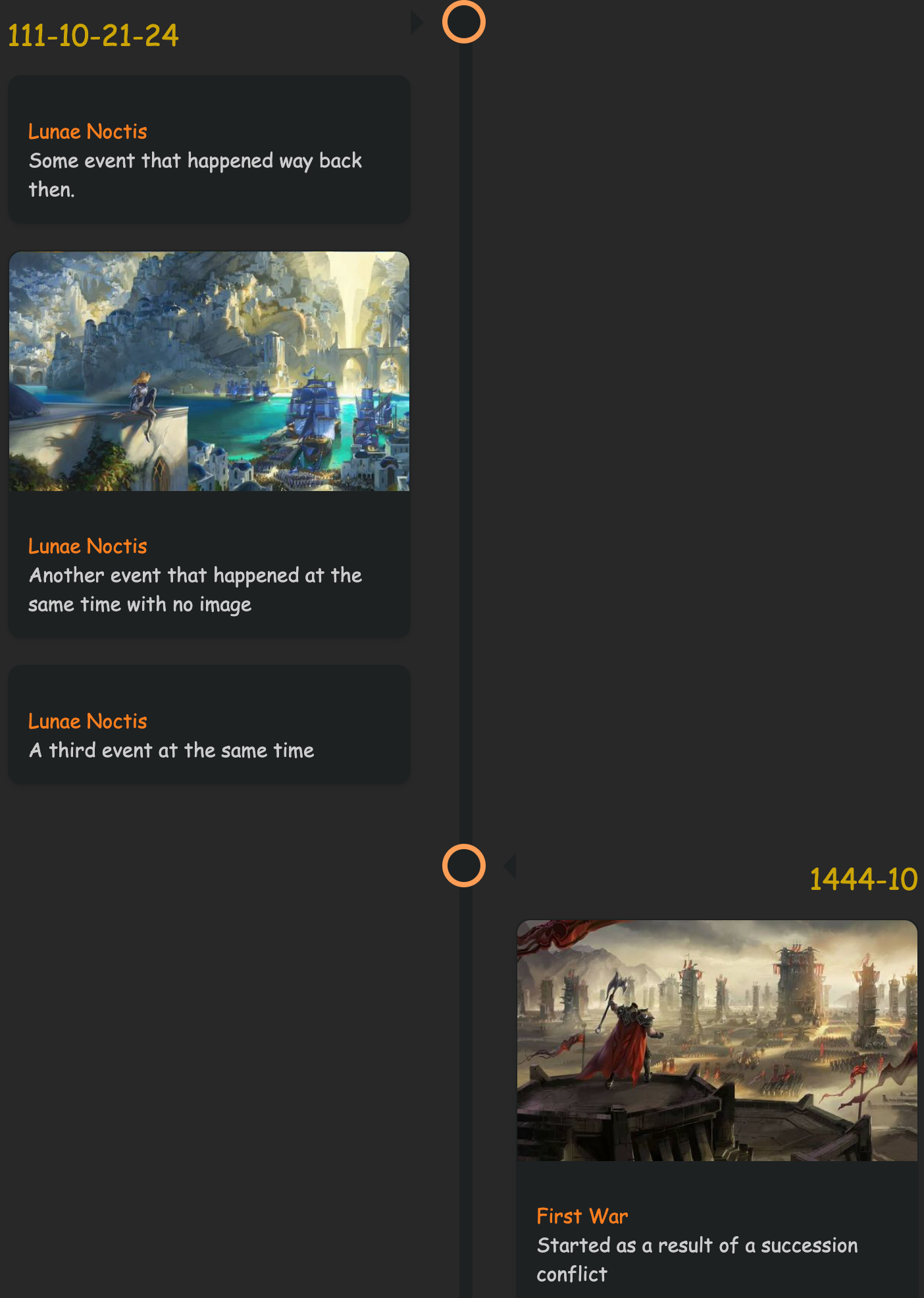
## Example - Vertical Timeline
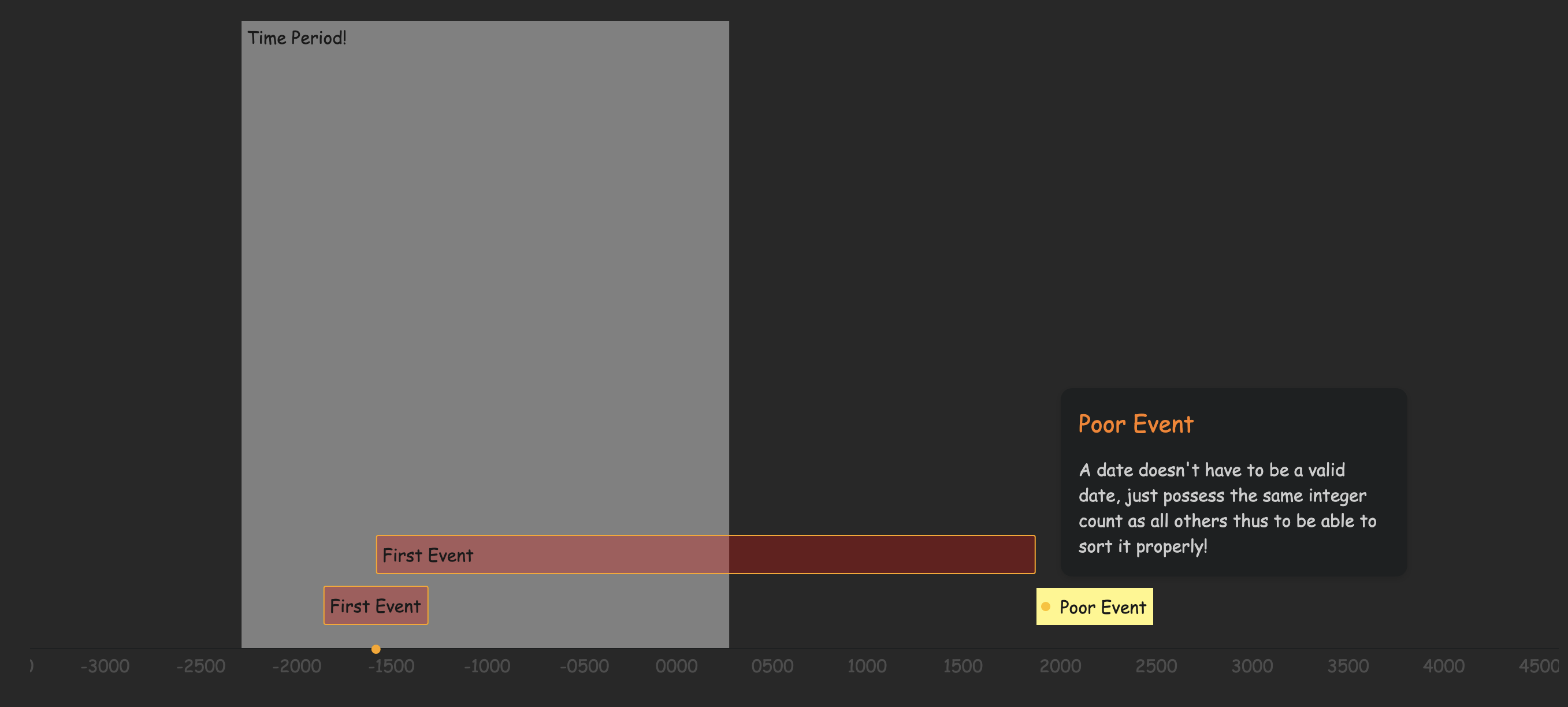
## Example - Horizantal Timeline
## Inserting a Timeline
VIDEO BRIEF EXAMPLE: https://www.youtube.com/watch?v=_gtpZDXWcrM
To render a timeline in a note:
1. Add the `timeline` tag to the note, either in the YAML frontmatter or somewhere else.
2. Create a `timeline` code block or a timeline HTML comment for static rendering.
### Using a Timeline code block for dynamic rendering
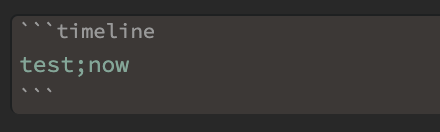
Create the following code block where a timeline is to be inserted:
You can also have an horizontal timeline by:
1. Replacing `timeline` with `timeline-vis` in the code block,
2. Add bellow filters:
```timeline-vis
tags=test
startDate=1700
endDate=2030
fivHeight=600
minDate=200
```
The render block takes a single input which is the list of tags by which to filter timeline tagged notes (e.g. in the above example block, ONLY notes with all three tags `timeline`, `test` and `now`).
### Using an HTML code block for static rendering
Insert the following HTML comment where a statically rendered timeline should be inserted:
```html
```
Use the `Timelines: Render Timeline` command to generate a timeline statically. Running the command again will replace everything between the two comments (BEGIN/END) with a freshly rendered timeline.
Timeline event changes will not be detected using this method, but as it is creating static HTML, the generated content will work be readable without Obsidian (on GitHub, via Obsidian publish, etc.).
## Timeline Tagging a note
For a note to be included in a timeline the following must be valid:
1. The `timeline` tag must be included in that note
```html
---
tags: [timeline, test, me, now]
---
```
2. The note must have all the specified tags to be included in the search. This note example above will be included in all of the following searches (assuming its timeline span info is valid): `test`, `test;me`, `test;me;now`, etc.
3. The note must contain at least one timeline `span` or `div` element containing the event information, see the next section.
When generating a timeline, a note will be ignored in the following cases:
- The note does not have the `timeline` tag (the tag specified in plugin settings)
- The note does not contain all the tags from the search list
- The note does not contain any valid timeline span/div elements
## Timeline Event Properties
Timeline events must specify the following:
- a valid date, YEAR-MONTH-DAY-MINUTES (check info section below for more details)
- a valid class, specifically `ob-timelines` must be specified.
All other fields are optional.
Invalid timeline events will be skipped.
### Timeline Entry
A timeline entry can be created using a `` or `` tag, with the following attributes:
```html
A second event!
```
Timeline span and div entries (.ob-timelines class) are hidden in preview by default, however, if you wish to display content, try a snippet like this:
```css
/* Render the ob-timelines span or div elements as inline blocks that use an italic font */
.ob-timelines {
display: inline-block !important;
font-style: italic;
}
/* Use the before pseudo element to display attributes of the span or div */
.ob-timelines::before {
content: "🔖 " attr(data-date) ": " attr(data-title) ". ";
color: lilac;
font-weight: 500;
}
```
Using the above snippet, a span like this:
```html
```
would be rendered as:
 #### Dates
The most important and essential info for the timeline entry is the date. Timeline entries can be used for fantasy timelines, leading to a simplified set of rules for valid dates.
A valid date is specified as `YEAR-MONTH-DAY-HOUR`.
- All four segments must be present.
- Each segment can contain only numbers, but can be any length.
- The YEAR (first segment) can be negative: `-123-45-678-9` is a valid date.
Rightmost-segments containing only zeros will be omitted when the timeline is generated, for example:
- `2300-02-00-00` will display as `2300-02`
- `2300-00-00-00` will display as `2300`
##### Event sorting
Event sorting is performed by converting the date into a number. For fantasy calendars, you may need to pad months, days, or hours with zeros to ensure sorting works properly.
- `2300-02-00-00` is sorted as `2300020000`
- `-234-02-00-00` is sorted as `-234020000`
For statically generated timelines, events that occur at the same time are grouped, and are either prepended or appended to a list based on your timeline sorting preference.
### Title:
- Optional
- If a title is not specified the name of the note will be used
### Description:
- Optional
- If a description is not specified an empty section will be shown
### Background Image:
- Optional
- If an image is not specified no image will be shown (just text)
- If an invalid url is given, an empty black section will be seen for that note card
- Currently only `http` & `absolute local path` will render. Obsidian release `v0.10.13` blocked obsidian links for background images.
### CSS Class:
- Optional
- Adds the applied css class to the note card associated with the timeline entry
## Release Notes
### v0.2.1
- Remove escaping of `quotes / double quotes and ticks` from title and text (no longer needed)
- Additional optional span attribute `css class` allowing to customize each card of the timeline
- `Multiple Events per note` are now allowed. All spans on a single note will be displayed on the timeline (previously only first span was presented i.e. 1 card event per note)
PR Contribution by https://github.com/ebullient
### v0.2.0
- Added `timeline` render block:
- Keeps the note clean by hiding the html text (which can get messy with large timelines)
- Automatic updates of the timeline everytime the note is opened anew (had to re-insert the timeline in previous version to update it)
- Tags searched will include both `inline` & `YAML` tags
- Removed the `Add Timeline` command as it is no longer needed with the addition of the render block
## Licence
Licenced under the MIT License.
## Support
[](https://github.com/sponsors/Darakah) [
#### Dates
The most important and essential info for the timeline entry is the date. Timeline entries can be used for fantasy timelines, leading to a simplified set of rules for valid dates.
A valid date is specified as `YEAR-MONTH-DAY-HOUR`.
- All four segments must be present.
- Each segment can contain only numbers, but can be any length.
- The YEAR (first segment) can be negative: `-123-45-678-9` is a valid date.
Rightmost-segments containing only zeros will be omitted when the timeline is generated, for example:
- `2300-02-00-00` will display as `2300-02`
- `2300-00-00-00` will display as `2300`
##### Event sorting
Event sorting is performed by converting the date into a number. For fantasy calendars, you may need to pad months, days, or hours with zeros to ensure sorting works properly.
- `2300-02-00-00` is sorted as `2300020000`
- `-234-02-00-00` is sorted as `-234020000`
For statically generated timelines, events that occur at the same time are grouped, and are either prepended or appended to a list based on your timeline sorting preference.
### Title:
- Optional
- If a title is not specified the name of the note will be used
### Description:
- Optional
- If a description is not specified an empty section will be shown
### Background Image:
- Optional
- If an image is not specified no image will be shown (just text)
- If an invalid url is given, an empty black section will be seen for that note card
- Currently only `http` & `absolute local path` will render. Obsidian release `v0.10.13` blocked obsidian links for background images.
### CSS Class:
- Optional
- Adds the applied css class to the note card associated with the timeline entry
## Release Notes
### v0.2.1
- Remove escaping of `quotes / double quotes and ticks` from title and text (no longer needed)
- Additional optional span attribute `css class` allowing to customize each card of the timeline
- `Multiple Events per note` are now allowed. All spans on a single note will be displayed on the timeline (previously only first span was presented i.e. 1 card event per note)
PR Contribution by https://github.com/ebullient
### v0.2.0
- Added `timeline` render block:
- Keeps the note clean by hiding the html text (which can get messy with large timelines)
- Automatic updates of the timeline everytime the note is opened anew (had to re-insert the timeline in previous version to update it)
- Tags searched will include both `inline` & `YAML` tags
- Removed the `Add Timeline` command as it is no longer needed with the addition of the render block
## Licence
Licenced under the MIT License.
## Support
[](https://github.com/sponsors/Darakah) [ ](https://www.buymeacoffee.com/darakah)