# video-subtitle-extractor
**Repository Path**: zhh-code-learning/video-subtitle-extractor
## Basic Information
- **Project Name**: video-subtitle-extractor
- **Description**: A GUI tool for extracting hard-coded subtitle from videos and generating srt files. 视频硬字幕提取,生成srt文件。无需申请第三方API,本地实现文本识别。基于深度学习的视频字幕提取框架,包含字幕区域检测、字幕内容提取
- **Primary Language**: Unknown
- **License**: Apache-2.0
- **Default Branch**: main
- **Homepage**: None
- **GVP Project**: No
## Statistics
- **Stars**: 0
- **Forks**: 2
- **Created**: 2023-08-06
- **Last Updated**: 2023-08-07
## Categories & Tags
**Categories**: Uncategorized
**Tags**: None
## README
简体中文 | [English](README_en.md)
## 项目简介



video-subtitle-extractor是一款将视频中的硬字幕提取为外挂字幕文件(srt格式)的软件。
主要实现了以下功能:
- 提取视频中的关键帧
- 检测视频帧中文本的所在位置
- 识别视频帧中文本的内容
- 过滤非字幕区域的文本
- 去除重复字幕行,去除水印(台标)文本
- 生成srt字幕文件
## 项目特色
- 采用本地进行OCR识别,无需设置调用任何API,不需要接入百度、阿里等在线OCR服务即可本地完成文本识别
- 支持GPU加速,GPU加速后可以获得更高的准确率与更快的提取速度
- (CLI版本) 无需用户手动设置字幕区域,项目通过文本检测模型自动检测字幕区域
- (GUI版本) 图形化界面
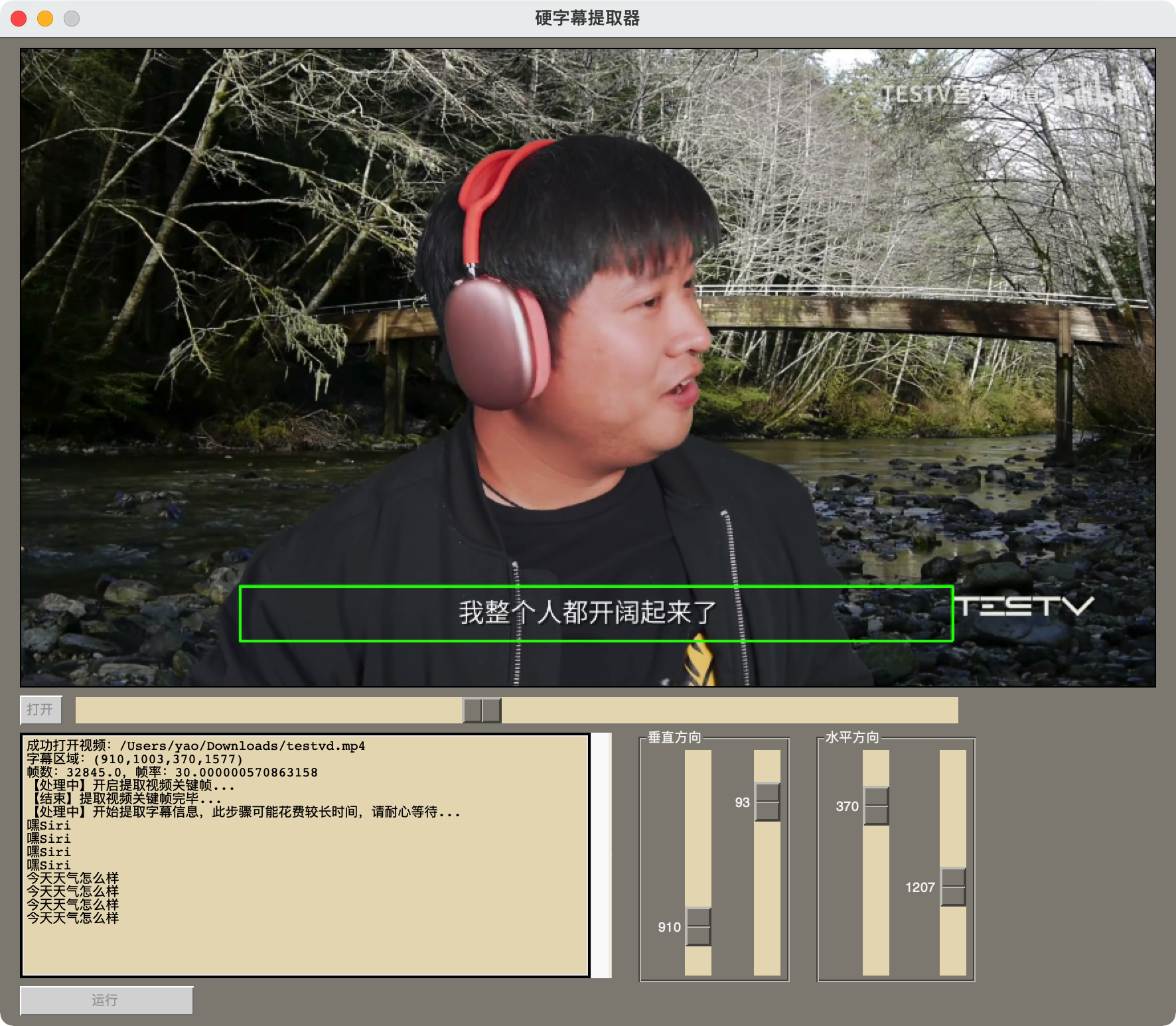 点击【打开】后选择视频文件,调整字幕区域,点击【运行】
> **有任何改进意见请在ISSUES中提出**
## 演示视频 (CLI版)
- GUI版:
- CLI版:
[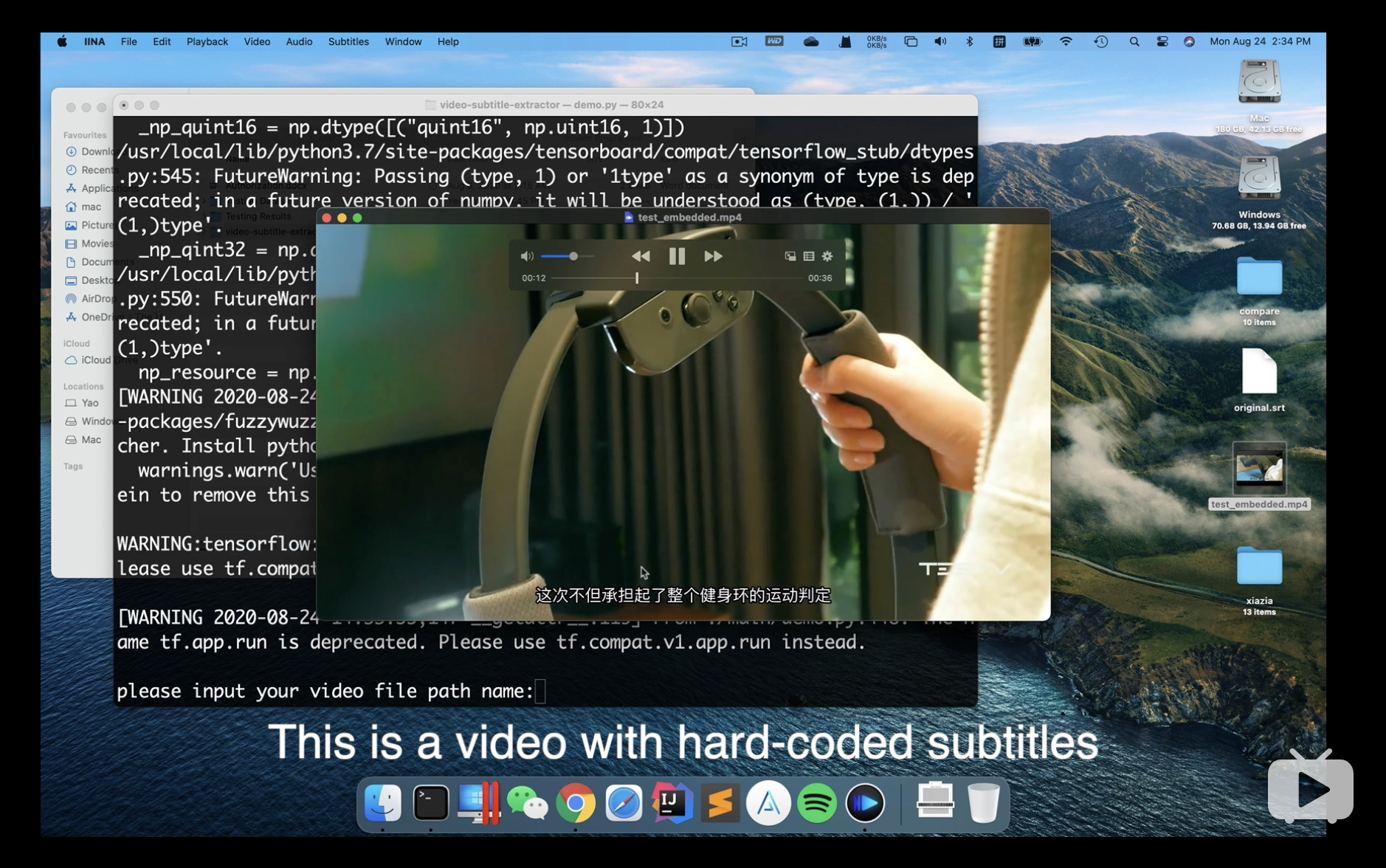](https://www.bilibili.com/video/BV1t5411h78J "Demo Video")
## 在线运行
- 使用**Google Colab Notebook**(免费GPU):
点击【打开】后选择视频文件,调整字幕区域,点击【运行】
> **有任何改进意见请在ISSUES中提出**
## 演示视频 (CLI版)
- GUI版:
- CLI版:
[](https://www.bilibili.com/video/BV1t5411h78J "Demo Video")
## 在线运行
- 使用**Google Colab Notebook**(免费GPU):  > PS: Google Colab只能运行CLI版本
## 使用说明
#### 1. (推荐) 下载安装Anaconda
https://www.anaconda.com/products/individual#Downloads
#### 2. (推荐) 使用conda创建项目虚拟环境并激活环境 (建议创建虚拟环境运行,以免后续出现问题)
```shell
conda create --name videoEnv python=3.7
conda activate videoEnv
```
#### 3. 使用pip安装依赖文件
如果没有安装Anaconda,请确保你已经安装 python 3.7
- mac用户, CPU用户:
```shell
pip install -r requirements.txt
```
- 有N卡的GPU用户: **要达到高精度的识别率请使用GPU版**
```shell
pip install -r requirements_gpu.txt
```
#### 4. 运行程序
- 运行图形化界面版本(GUI)
```shell
python gui.py
```
- 运行命令行版本(CLI)
```shell
python main.py
```
## Debug
- Windows下出现geos_c.dll错误
```integrationperformancetest
_lgeos = CDLL(os.path.join(sys.prefix, 'Library', 'bin', 'geos_c.dll'))
File "C:\Users\Flavi\anaconda3\envs\subEnv\lib\ctypes\__init__.py", line 364, in __init__
self._handle = _dlopen(self._name, mode)
OSError: [WinError 126] 找不到指定的模块。
```
解决方案:
1) 卸载Shapely
```shell
pip uninstall Shapely -y
```
2) 使用conda重新安装Shapely
```shell
conda install Shapely
```
> PS: Google Colab只能运行CLI版本
## 使用说明
#### 1. (推荐) 下载安装Anaconda
https://www.anaconda.com/products/individual#Downloads
#### 2. (推荐) 使用conda创建项目虚拟环境并激活环境 (建议创建虚拟环境运行,以免后续出现问题)
```shell
conda create --name videoEnv python=3.7
conda activate videoEnv
```
#### 3. 使用pip安装依赖文件
如果没有安装Anaconda,请确保你已经安装 python 3.7
- mac用户, CPU用户:
```shell
pip install -r requirements.txt
```
- 有N卡的GPU用户: **要达到高精度的识别率请使用GPU版**
```shell
pip install -r requirements_gpu.txt
```
#### 4. 运行程序
- 运行图形化界面版本(GUI)
```shell
python gui.py
```
- 运行命令行版本(CLI)
```shell
python main.py
```
## Debug
- Windows下出现geos_c.dll错误
```integrationperformancetest
_lgeos = CDLL(os.path.join(sys.prefix, 'Library', 'bin', 'geos_c.dll'))
File "C:\Users\Flavi\anaconda3\envs\subEnv\lib\ctypes\__init__.py", line 364, in __init__
self._handle = _dlopen(self._name, mode)
OSError: [WinError 126] 找不到指定的模块。
```
解决方案:
1) 卸载Shapely
```shell
pip uninstall Shapely -y
```
2) 使用conda重新安装Shapely
```shell
conda install Shapely
```